· Phinsh · Tips & Tutorials · 4 min read
Introducing Weeklo: The Ultimate Weekly Planner & Organizer
Discover Weeklo, the intuitive weekly schedule app with AI emojis, drag & drop matrix layout, and beautiful design. The perfect ADHD planner for getting things done.
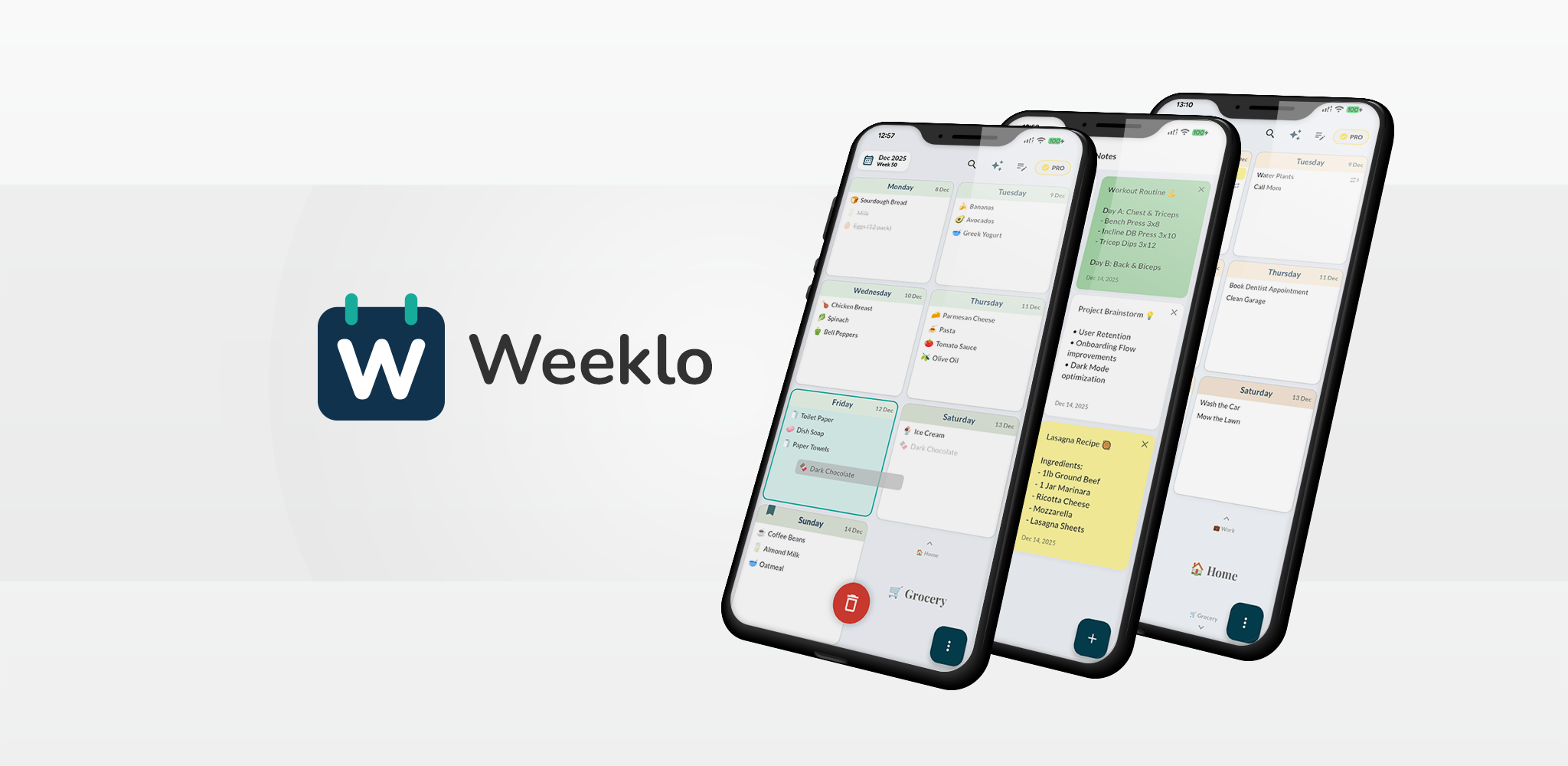
We are thrilled to announce the release of our new app: Weeklo.
Weeklo isn’t just another to do list app; it is a visually driven, gesture-based weekly planner designed to replicate the tactile feel of a physical paper planner but with digital superpowers.
Weeklo reimagines personal organization by merging the tactile satisfaction of a physical notebook with the intelligence of modern software. Built specifically for visual thinkers, it transforms your chaotic tasks into a structured, easily navigable timeline, making it the ideal task planner for anyone who finds standard lists overwhelming.
The “Hook”: A Unique Matrix Layout
Unlike standard list apps that just show an endless scroll of tasks, Weeklo presents a grid view of your week. We call this our unique 2D Navigation System:
- Vertical Scroll: Switch contexts instantly. Move from your “Work Planner” to your “Home Planner” or “Meal Planner” with a simple swipe.
- Horizontal Scroll: Navigate your timeline. Move through time (Weeks) with a stunning 3D page-flip animation that gives the app a premium, tactile feel.
Why is Weeklo the Best Weekly Organizer?
1. Intuitive Task Management
Weeklo is built for speed and flexibility. The weekly view gives you a clear overview of your schedule at a glance.
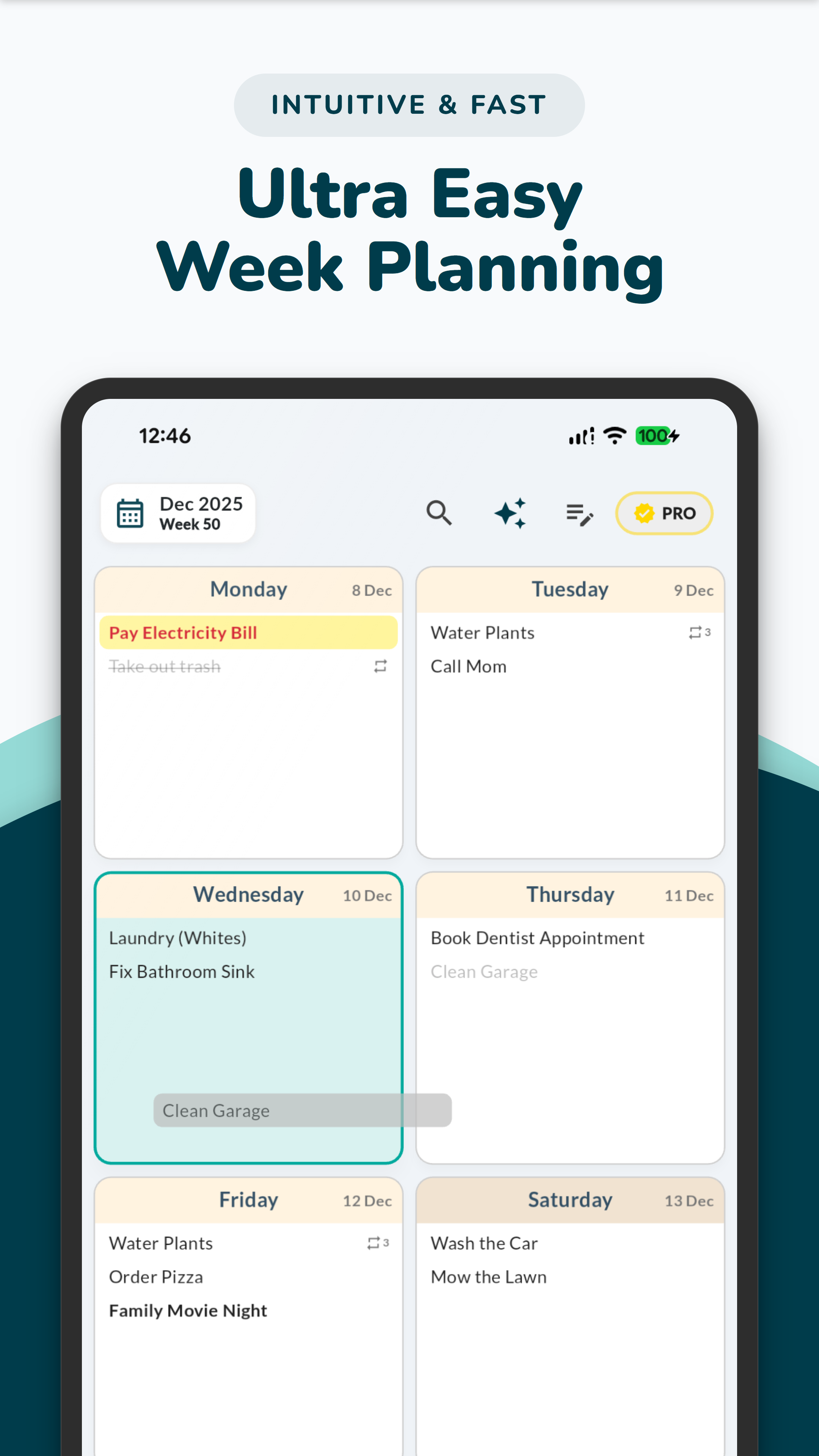
- Drag & Drop: Drag tasks from one day to another to reschedule instantly. Drag them to a “Drop Zone” to delete.
- Rich Text: Bold, italicize, and change colors. Use custom background highlights (Pastel palette) to make important tasks pop.
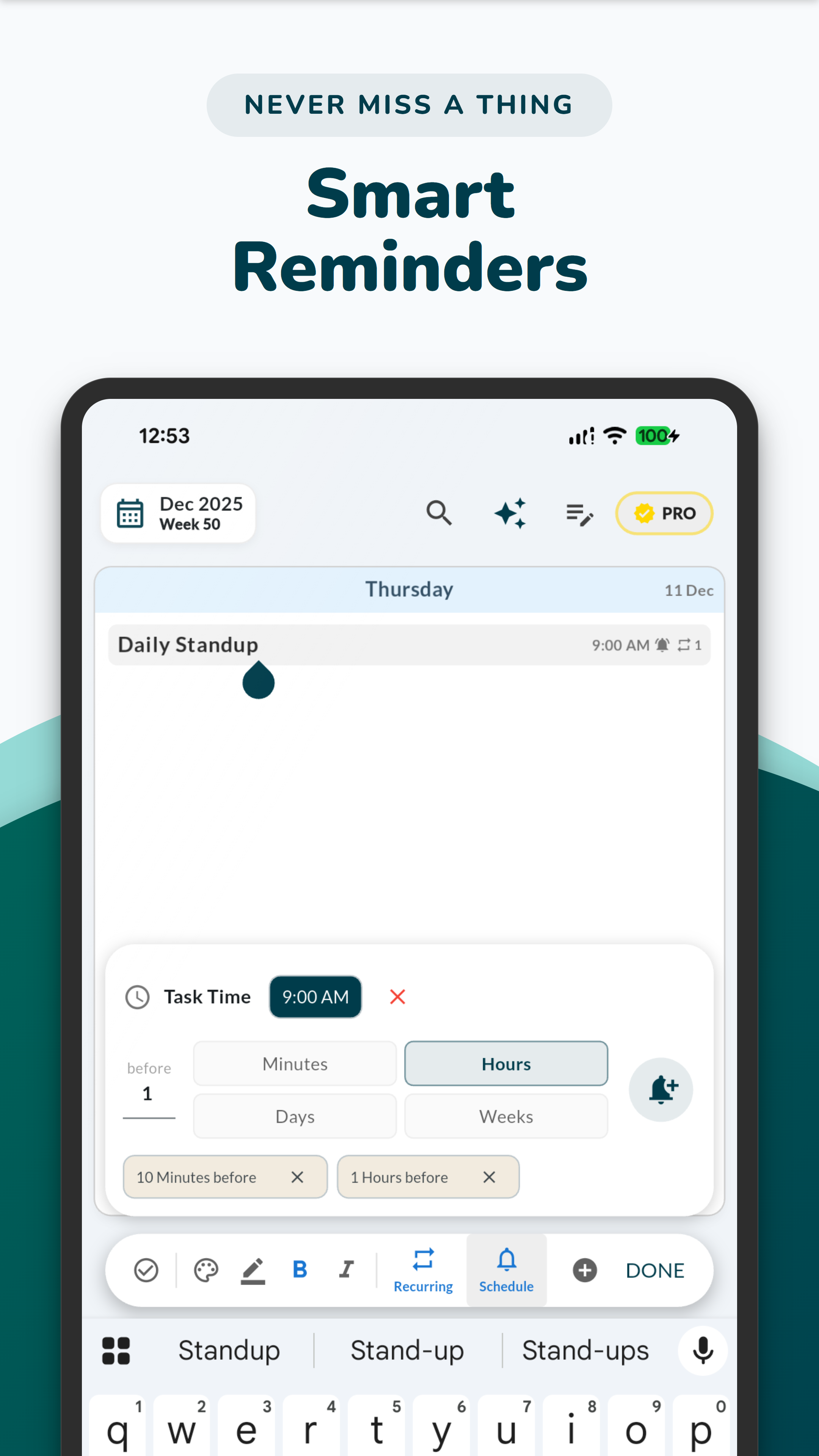
- Smart Recurrence: Easily set up a weekly routine planner. Whether it’s a daily habit, a weekly meeting, or a monthly bill, Weeklo handles it. It even supports Smart Splitting, so editing one instance of a recurring task doesn’t break your history.
2. AI Planner & Emojis (The Magic)
Tap the “Magic Wand” and let our AI weekly planner analyze your tasks. It automatically generates contextually relevant emojis for every item on your weekly timetable.
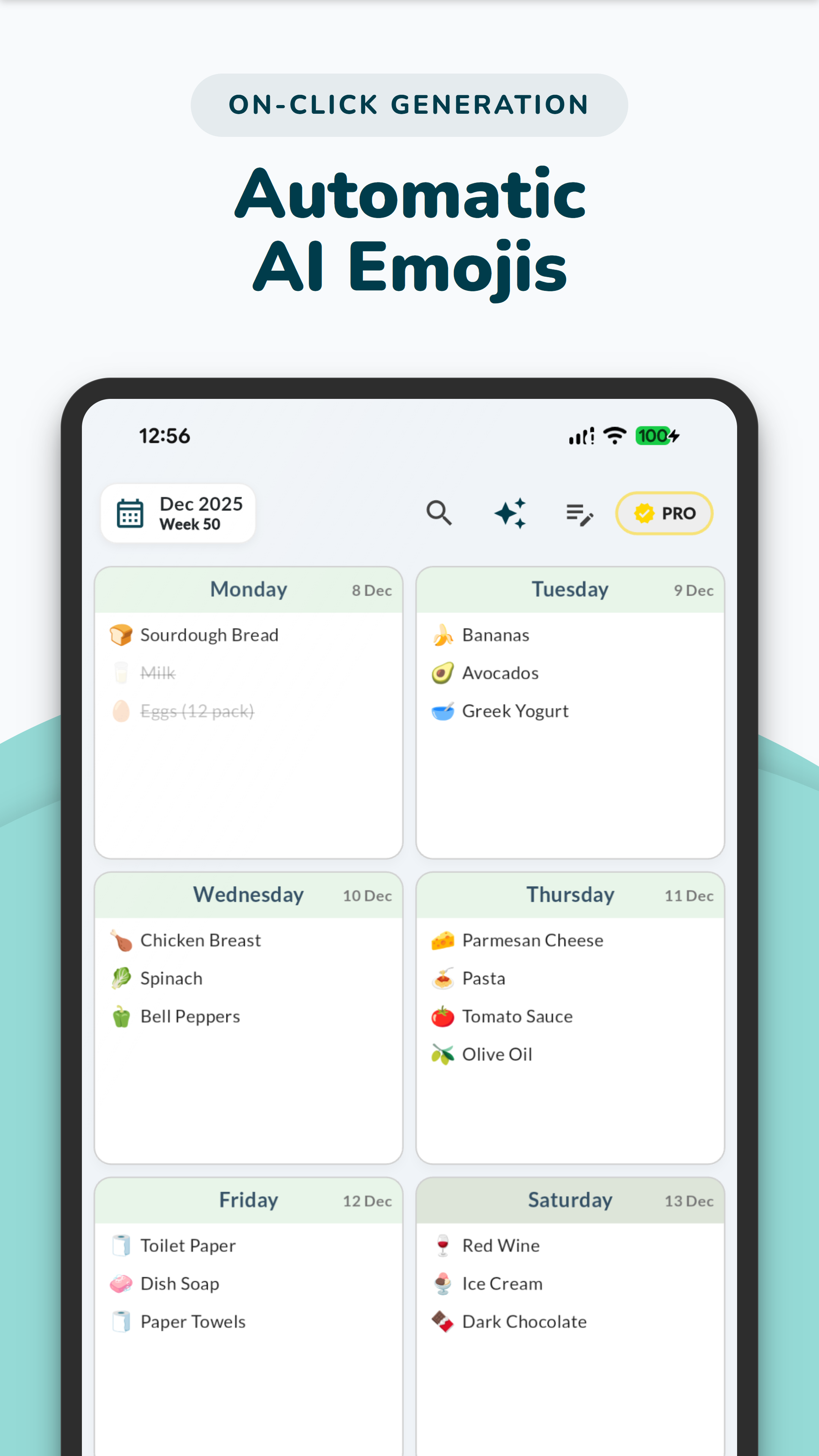
- Why this matters: This creates instant visual cues, making it the perfect ADHD planner. You can scan your weekly view and understand your agenda in milliseconds without reading every word.
3. Multiple Planners in One App
Separate your life into focused areas without the clutter.
- Create a dedicated Work Planner, a Student Planner, a Weekly Meal Planner, or a Personal Diary.
- Each planner gets its own distinct color theme (10+ options) and emoji icon.
- Filter days: Hide weekends for your work planner, or show only specific days for your fitness routine.
4. Dedicated Notes & Digital Diary
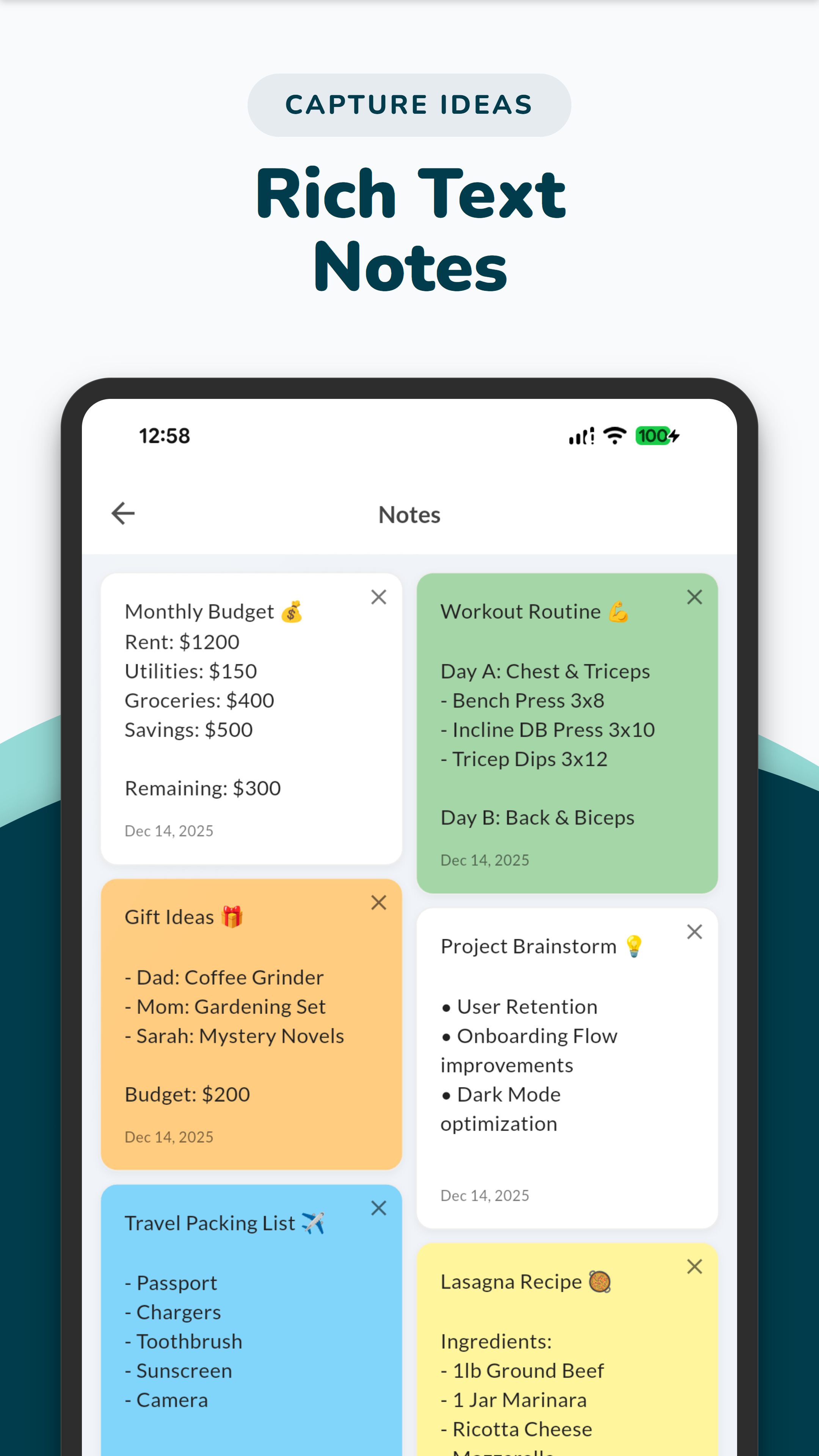
Weeklo includes a separate section for “Brain Dumps” or long-form text. It’s not just a checklist tracker; use it as a digital diary or for keeping weekly notes. It supports the same rich text styling as your tasks.
5. Secure & Private
Your data belongs to you.
- Biometric Lock: Secure the entire app with FaceID or Fingerprint.
- Backup: Robust local backup options, plus Cloud Backup (Google Drive/iCloud) for Pro users to keep your daily planner safe.
6. Beautiful & Accessible
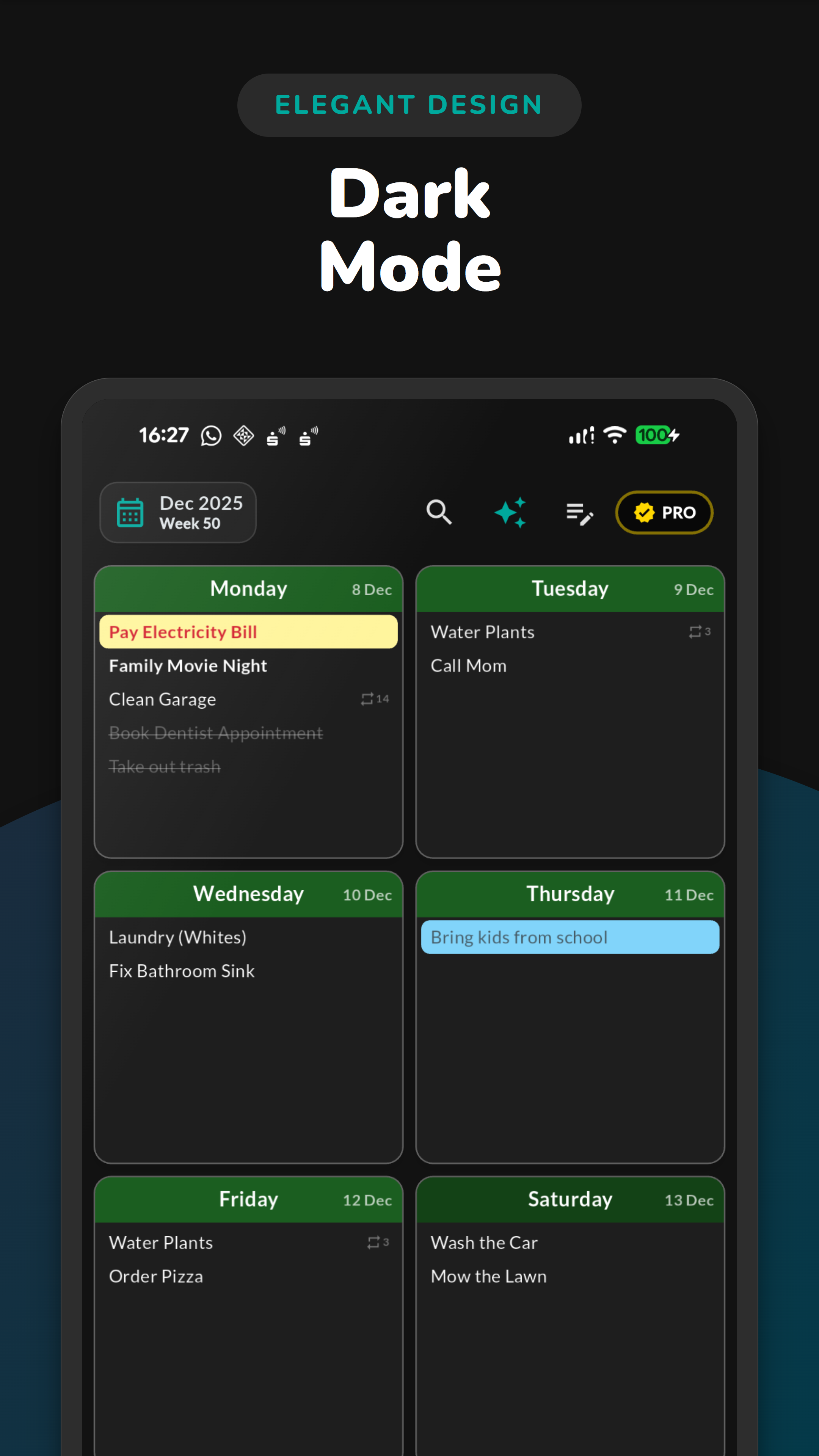
- Themes: Full support for Light Mode and Dark Mode with soft, aesthetic pastel colors.
- Typography: Dynamic font scaling (Small, Medium, Large) and support for multiple fonts like Lato, Playfair Display, and Nunito.
Perfect for Every Use Case
- For Productivity: A powerful weekly task planner that keeps you focused.
- For Students: A weekly timetable to track classes and assignments.
- For Neurodivergent Users: An ADHD weekly planner that uses visual cues and simple gestures to reduce overwhelm.
- For Home: A simple planner for chores, groceries, and family events.
Download Weeklo Today
Ready to get organized with the most easy planner on the market? Weeklo is available now for iOS and Android.
Support: [email protected]