 Phinsh
Vision Board Ideas: 25 Ideas for 2027 and How to Make One
Vision board ideas for 2027: 25 ideas by goal area, what to put on a board, and how to turn about 40 photos into a shaped board to print or use as a wallpaper.
Key takeaways
- A vision board that works has 3 to 5 goal areas and about 40 photos of places, rooms, routines and results you can picture.
- Pick a shape that names the goal: an airplane for travel, a house for home, a runner for health, an open book for study, or the year 2027 or a word such as DREAM for everything at once.
- Phinsh packs your photos into the shape on iPhone, Android and the web. Export the board to print it or to use it as a phone wallpaper.
- A board shows the direction. Pick one small step for each photo and put those steps into a weekly plan.
In this article
Vision board ideas start with a short list of goals and one photo for each: a place you want to visit, a room you want to finish, a morning run you want to keep. Pick three to five areas, collect about 40 photos of them and pack the photos into one shape you will see every day. Below are 25 vision board ideas for 2027 in seven groups, with a finished example board for most of them.
A vision board is a collage of what you want to do, have or become in the coming year. Specific pictures make better reminders than vague ones: a photo of the trail you want to hike beats a photo of a mountain. December and early January are a natural time to make one, and every idea below works for students and adults.
Vision board ideas for 2027, by goal area
Each group has a goal area, a shape that fits it and a few things to show. Put the groups together on one board, or make one board per area.
Travel
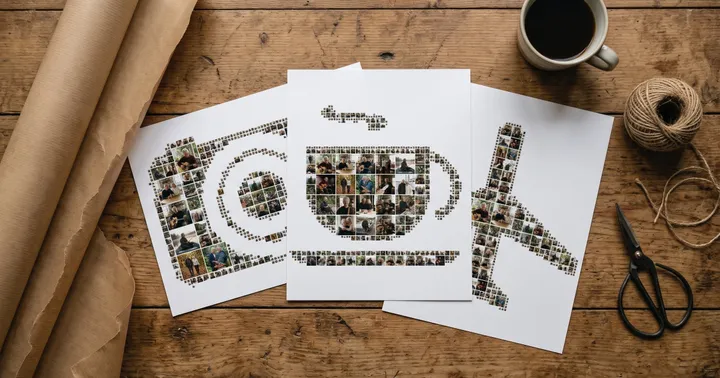
Travel goals are the easiest to picture, and an airplane tells anyone what the board is about.
- One dream destination. Choose the place you would book tomorrow and add three or four photos of it: the beach, the old town, the train that gets you there.
- A trip you can plan this year. A weekend away counts. Add a photo of the exact place so the plan feels real.
- A place from your family’s story. The town a grandparent left, or the city where a friend now lives.
- The journey itself. Mountain trains, coastlines, lavender fields and a window seat show what you want the trip to feel like.
Printed and held by two magnets, the board sits on the fridge, where you pass it every day.

Home
For goals about the place you live, use a house.
- The room you will finish. One photo of the room as you picture it done, plus the one thing it needs: a lamp, a shelf, a paint colour.
- A garden or a balcony. Vegetable beds, herbs in pots, a bench in the sun.
- A kitchen habit. Fresh bread on Saturdays, or a home-cooked dinner every Tuesday.
- A reading nook. A chair, a lamp, a blanket and a stack of books.
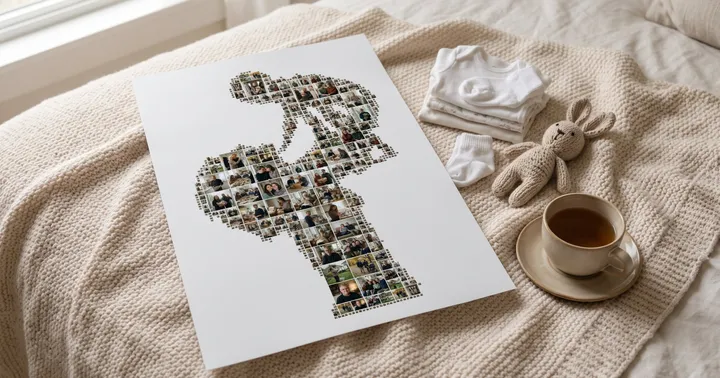
Above a bed, the board is the last thing you see at night and the first in the morning. Our photo wall ideas cover hanging heights and frames.

Calm life
Calm is hard to photograph, so show the small rituals that bring it: tea, a window seat, a plant.

- A slow morning. Tea in the first light and ten quiet minutes before you pick up your phone.
- Less clutter. A clear kitchen counter, an empty shelf, a desk with one notebook on it.
- Plants and books. Photos of what you want more of in the evening, in place of the screen.
Health and fitness
A runner gives a health board some movement.

- A run you can finish. A dawn route, the finish line of a 5 km, a race you have signed up for.
- Meals you want to cook. Smoothie bowls, salads, soups, a full water bottle.
- Weekend hikes. One trail, one hill, one view you want to stand in front of.
- Ten minutes on the mat. A yoga mat by the window that you actually unroll.
Study and career
Have an exam, a course or a career change ahead? An open book is the obvious shape.

- The exam or course you work towards. Add a text line with the date.
- A desk that works. Notes, a lamp and a library seat show the study routine you want.
- The degree. A graduation cap in a black frame is a good board for students, and our graduation collage ideas show more shapes to start from.
- A new skill. A language, an instrument or a lab technique, shown by the place where you will practise it.
- The job or project you want. The workplace, the tool or a book from your field.

For students, one board per term works better than one for the whole degree. Each board gets a few photos of the next exam, and you can change them when the term ends.
The whole year in one board
If you do not want to choose a single area, give each area a share of the same shape. A star is a simple outline that keeps the photos large.
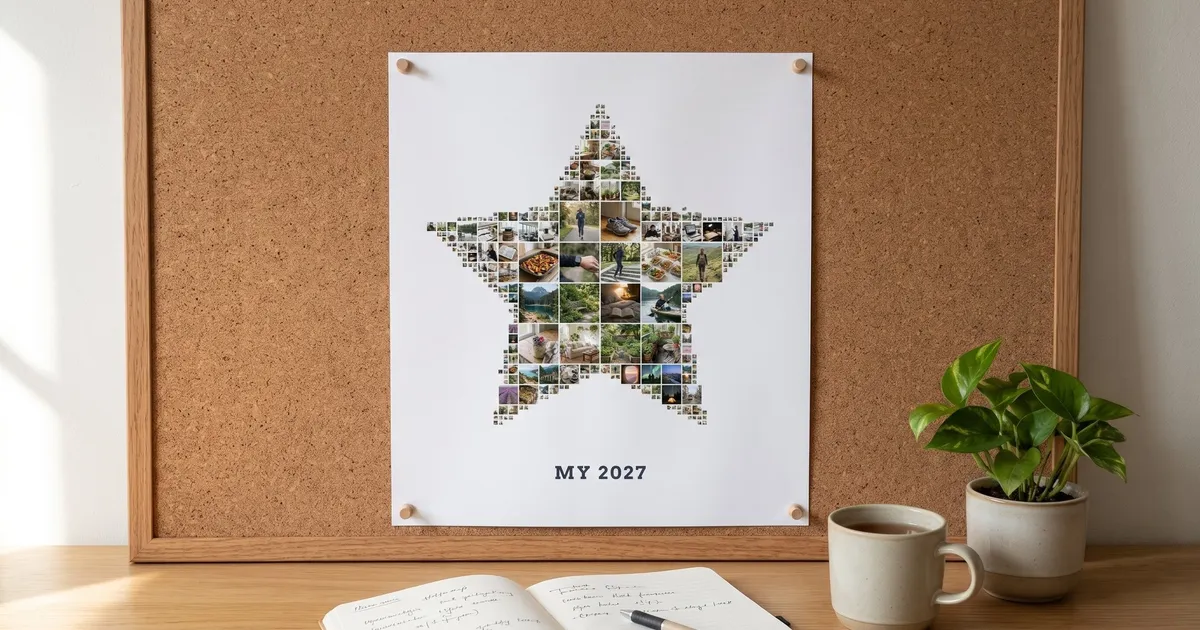
- A star with every area. The board at the top of this page is a star of about 48 photos that mixes travel, home, health and study, with a single Text line, MY 2027, under it.
- The year itself. Type 2027 in the Text option of the Shape menu and the digits fill with your photos. Our number collage guide has more on digits and fonts.
- A shared board. Two people add 20 photos each to one shape. A couple, flatmates or a family can agree on a year in one picture.

One word for the year
A word board is quick to read, and it is the same thing as a dream board under another name. The text is set on one line, so three to five letters stay thick enough to hold photos, and a long phrase turns into a thin strip. Our text collage maker guide covers words, names and fonts in more detail.
- DREAM. Five letters, plenty of room, and a good fit for a board of things you have not started yet.
- Your own word. Try CALM, GROW, HOME or RUN, whichever you want to be true by next December.
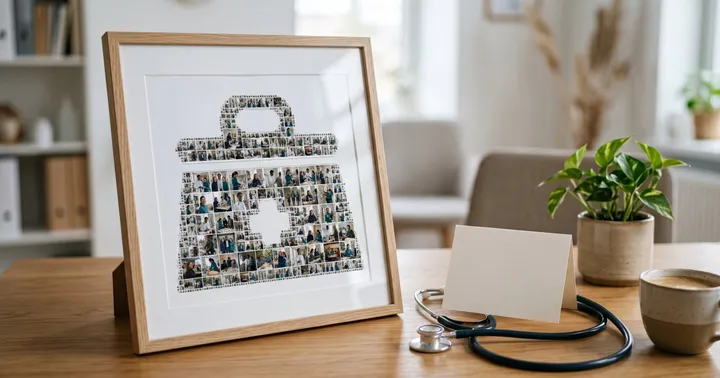
In a thin black frame on a shelf, the word board is a daily reminder that sits quietly next to the books.

What to put on a vision board
- Places and things you can name. A named beach beats a holiday, and a photo of your actual kitchen beats any kitchen.
- Actions, not only results. Add the finish line and also the running shoes by the door.
- Three to five areas. More areas make every photo smaller and the board harder to read.
- About 40 photos. If the shape has more spots than you have photos, photos repeat. More photos make each one smaller.
- Photos from your gallery. Your own pictures and ones you saved.
- One date or word. The Text button adds a line you can move, such as a month for an exam.
Vision board ideas for students and adults: where to start
| You are | Start with | Shape ideas |
|---|---|---|
| A student | Study, one trip, a daily routine | Open book, graduation cap, 2027 |
| An adult with a job and a home | Home, health, work, one trip | House, runner, star |
| A couple or a family | A shared trip, the home, free time | Star, house, airplane |
A board shows where you are heading. To get there, pick one small step for each photo and put the steps on a calendar. Weeklo, the weekly planner from the same developer, has a guide to New Year’s resolution ideas with a weekly plan.
How to make a vision board with Phinsh
- Collect the photos. Put about 40 into one album: your own pictures and ones you saved.
- Add them to Phinsh. Open the app on iPhone or Android, or use it in your browser, and choose the photos.
- Pick a shape. Open Shape and choose from the collection, such as an airplane, a house, a star or an open book. Or choose Text and type 2027 or one word. The shape collages gallery shows more shapes.
- Adjust the look. Adjust sets the size of the photos and the space between them, and Shuffle moves the photos around. Edit Photos lets you swap, crop or rotate a single photo. The Text button adds one line such as MY 2027.
- Export. Tap the download icon to open Save & Export, choose a size and export.
Print it or use it as a phone wallpaper
Phinsh makes the image file. It does not print or ship, so take the file to a print shop or print it at home. The export size is the number of pixels on the longer side of the picture. The phone apps go up to 6000 px and the web app up to 12000 px.
The table shows the pixels a file needs to print at 200 and 300 pixels per inch (ppi). We worked it out as inches times ppi, so check your print shop’s own advice too.
| Place | Print size (longer side) | Pixels at 200 ppi | Pixels at 300 ppi |
|---|---|---|---|
| Fridge or desk | A5, 21 cm | 1654 | 2480 |
| Corkboard or notebook | A4, 29.7 cm | 2339 | 3508 |
| Bedroom wall | A3, 42 cm | 3307 | 4961 |
| Large frame | 70 cm | 5512 | 8268 |
The export screen lists the sizes, and some of the larger ones need an upgrade or a purchase. A 6000 px file prints A3 at about 360 ppi and a 70 cm print at about 220 ppi.

For a wallpaper, open Layout and choose 9:16, which fits a tall phone screen, and pick a background colour with Backgrd. Many current phones have screens near 1080 × 2400 pixels, so choose a size above Standard (1500 px) for a sharp result. Use Position to move the board down a little, so the lock screen clock does not cover it.
Start tonight. Pick three areas, find ten photos for each and make the first version. In June you can make a second version with new photos. For more shapes and layouts, see our photo collage ideas.
Frequently asked questions
What is a vision board?
A vision board is a collage of pictures, and sometimes a few words, that shows what you want to do, have or become in the coming year. You keep it where you see it every day as a reminder of your goals. It is a reminder, not a plan, so pair it with small steps and dates.
What should you put on a vision board?
Put photos of specific places, rooms, routines and results from three to five areas of your life, such as travel, home, health and study. Add a date or one word, and use about 40 photos so each one stays big enough to read.
What are some creative vision board ideas for college students?
Fill an open book or a graduation cap with photos of your course, your study desk, the trip after exams and the job you want. Make one board per term instead of one for the whole degree, or type the year with Shape and then Text to make a 2027 board.
What words are good to use on a vision board?
Short words you can act on: GROW, CALM, HOME, RUN, DREAM or the year 2027. In Phinsh the text is set on one line, so words of three to five letters stay bold enough to hold photos. For a longer phrase, add it as a text line under the board.